> ## Documentation Index
> Fetch the complete documentation index at: https://docs.betterfloat.com/llms.txt
> Use this file to discover all available pages before exploring further.
# Activate your purchased plan
> Follow these steps to activate your plan.
## Step 1: Open the extension popup
Click on the BetterFloat icon in your browser's toolbar to open the extension popup.
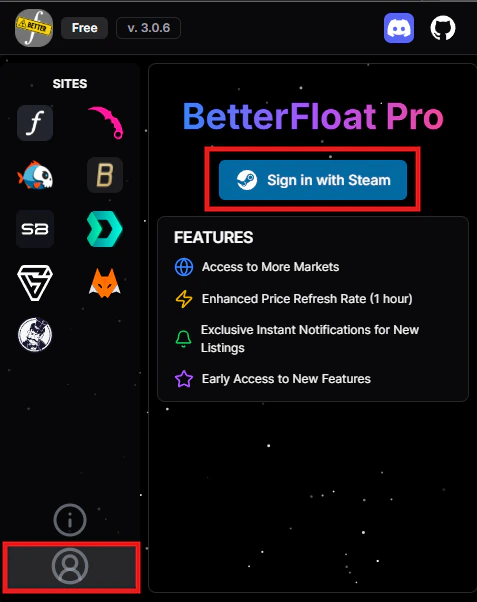
## Step 2: Navigate to the users page and login
Navigate to the users `Users`-tab in the extension popup and login with your Steam account.
Make sure to login with the Steam account you used to purchase the plan.
 ## Step 3: Sync your plan
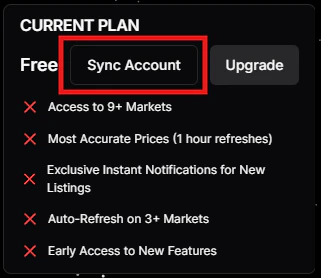
Sync your plan by clicking on the `Sync Account`-button.
## Step 3: Sync your plan
Sync your plan by clicking on the `Sync Account`-button.
 ## Step 4: Enjoy your plan
You have successfully activated your plan. Enjoy the additional features and benefits of your purchased plan.
## Step 4: Enjoy your plan
You have successfully activated your plan. Enjoy the additional features and benefits of your purchased plan.